• PRODUCTS
    • Expense products
      • Concur Expense
      • Budget
      • Tax Assurance by Blue dot
      • Benefits Assurance by Blue dot
      • Concur Request
      • ExpenseIt
      • Drive
      • Intelligent Audit
      • Company Bill Statements
      • Concur Detect
    • Travel products
      • Concur Travel
      • Budget
      • Concur Request
      • Concur TripLink
    • Invoice products
      • Concur Invoice
      • Concur Request
      • Purchase Request
      • Three-Way Match
    • Data insights
      • Budget
      • Consultative Intelligence
      • Data Delivery Service
      • Intelligence
    • Support offerings
      • User Support Desk
      • Managed Rate Administration
      • Concur Advanced Care
      • Concur Essential Care
      • Concur Select Care
      • WalkMe
    • TMC Products
      • Concur Compleat
      • Concur Trip Approval
      • TMC Solutions
      • TravPay Hotel
      • Traveller Self-Service
    • Integrations
      • About integrations
      • Concur TripLink
      • NetSuite
      • Quickbooks
      • SAP Integration
    • All products
    • See a demo
  • SOLUTIONS
    • By business need
      • Benefits Assurance by Blue dot
      • Compliance and fraud
      • Control company costs
      • Duty of care
      • Employee experience
      • Mobility
      • Sustainable travel
    • By industry
      • Financial services
      • Higher education
    • By role
      • Enterprise finance leader
      • Travel leader
      • HR leader
      • IT leader
    • Artificial Intelligence
    • Complete
    • Travel & Expense
    • REQUEST PRICING
  • ABOUT US
    • About SAP Concur
    • Why SAP Concur
    • CONTACT SALES
  • RESOURCES
    • Resource centre
    • Blog
    • Case studies
    • Events
    • Partners
    • Privacy policy
    • Support
    • TRAVEL AND EXPENSE DEMO
    • INVOICE DEMO
  • Login

Americas

United States (English)Canada (English)Canada (Français)México (Español)Brasil (Português)

Europe

United Kingdom (English)France (Français)Deutschland (Deutsch)Italia (Italiano)Nederlands (English)Sweden (English)Denmark (English)Finland (English)Belgium (English)España (Español)Norway (English)

Asia Pacific

Australia (English)India (English)日本(日本語)Singapore (English)
See a demo Login
  • Welcome
  • Capture
  • Process
  • Pay
  • Next steps

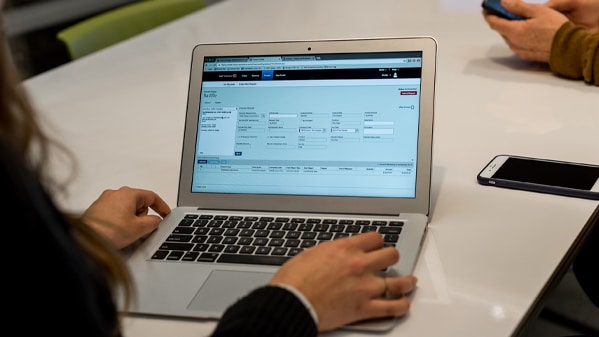
Welcome to the Concur Invoice self-guided demo

Imagine you purchase office supplies for which you need to submit a vendor invoice. This brief demo will show you how that invoice can be captured, processed, and paid.
Image

With Concur Invoice, you can capture vendor invoices via email or electronically

Invoice Capture uses OCR technology and machine learning to auto-populate data, followed by human validation to ensure the information from the header and line-item level of the invoice is accurate before it gets processed.

Your browser does not support the video tag.

You need to charge multiple departments

Once captured, the invoice gets routed to you so that you can distribute the invoice appropriately. Simply select the appropriate class that the spend should be distributed to, and the corresponding distribution code will appear.

Your browser does not support the video tag.

Your distribution codes have been saved

After returning to the invoice request page, you will see that your distribution codes have been saved. 

The invoice is ready to be submitted.

Your browser does not support the video tag.

Now it's time for manager approval

In the office or on the go, managers can use the Concur Mobile app to review and approve invoices. Once approved, the vendor invoice flows to the accounts payable team for final review.

Your browser does not support the video tag.

The approved invoice is routed to the accounts payable team

This dashboard updates in near-real time to give the accounts payable team visibility into all vendor invoices. They can see an audit trail with a full history of each status change.

Satisfied with the approval, the accounts payable team finalizes the invoice. This invoice is now ready to be uploaded into your ERP system and paid.

Your browser does not support the video tag.

Payment Manager prepares payment batches for you

Your company can choose how it wants to pay its vendors – ACH, credit card voucher, check, or by teaming up with one of our payment providers on the SAP Concur App Center.

Your browser does not support the video tag.

Thank you for completing the Concur Invoice demo

If you’re ready to take the next step towards integrating and automating your spend management, please contact our sales team and a member of our team will be in touch.

If you’d like to learn a bit more before reaching out, we recommend:

Invoice pictogram
A guide to help accounts payable professionals sell automated invoicing to their business leaders.
AP automation guide
Tools pictogram
Book a bespoke demo for your team with one of our specialists
Request a demo
  • facebook
  • x
  • linkedin
  • youtube
  • CONCUR BLOG
  • LEGAL DISCLOSURE
  • CONTACT
  • VISIT SAP.COM
    © Copyright 2026 Concur Technologies, Inc. All rights reserved. |
  • Privacy Policy |
  • Terms of Use |